Optiml for Advisors
Financial planning software for Canadian advisors that lets youtake on more households without adding hours.
Optiml models a client's entire retirement horizon and optimizes toward the goal that matters to them, whether that's spending more, retiring earlier, or leaving more behind.
200,000+ retirement plans run · 4.9/5 average rating · BBB A+ accredited · Canadian data storage, PIPEDA compliant
Why advisors and their clients choose Optiml
Your clients walk in with the same four questions
Optiml answers each one, and more. Then it rebuilds the work around them, so answering takes less of your week.
What your clients ask
When can I retire?
Model the earliest realistic date against their actual accounts, spending, and goals.
How should I withdraw my money?
Optimize the drawdown order across RRSP, TFSA, RRIF, LIRA, non-registered, and corporate accounts.
When should I take CPP and OAS?
Test every start age from 60 to 70, including the OAS clawback and pension income splitting.
Will I run out of money?
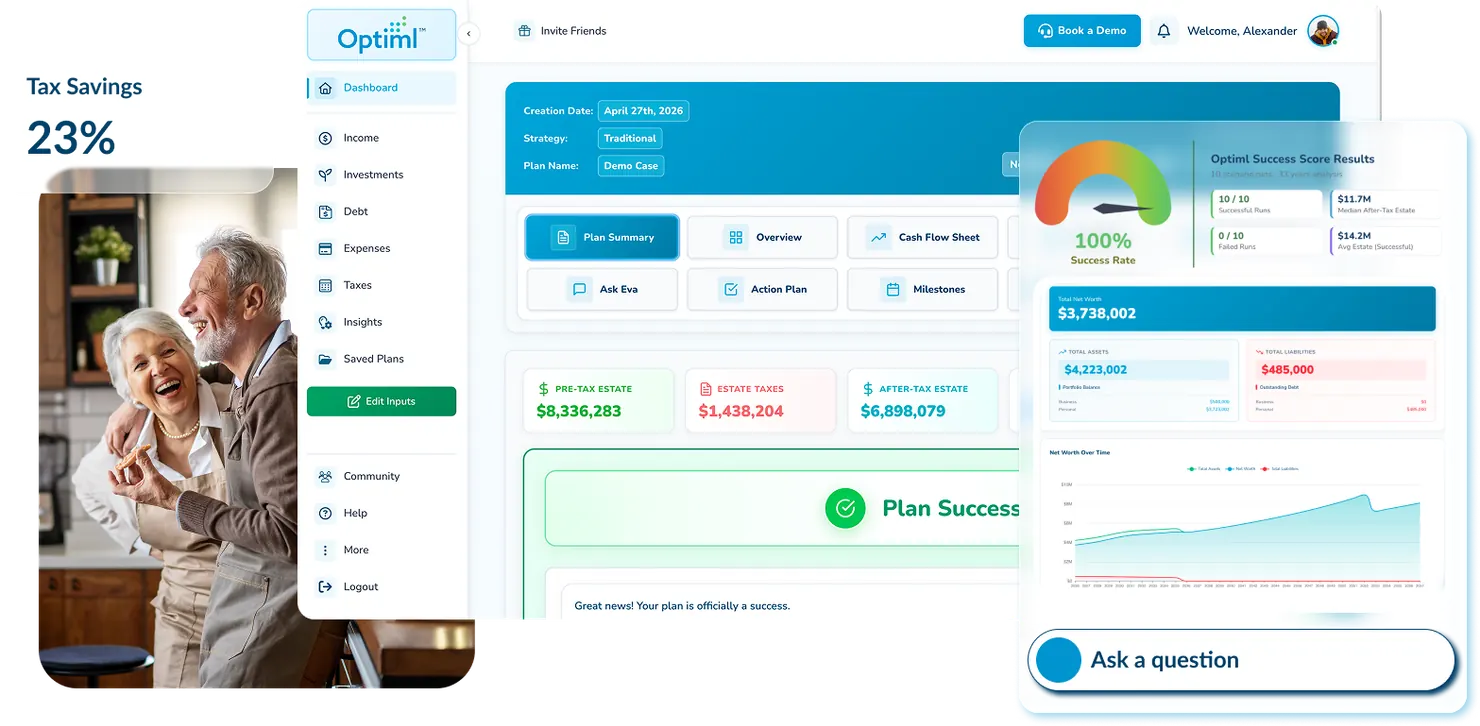
The Success Score stress-tests the plan across 50 scenarios, so the answer is a number instead of a reassurance.
What changes in your practice
Client self-onboarding
Clients enter their own financial information, taking weeks of back-and-forth off your calendar.
More clients, without more work
Grow your client base without growing the administrative load that usually comes with it.
Clear, professional plans
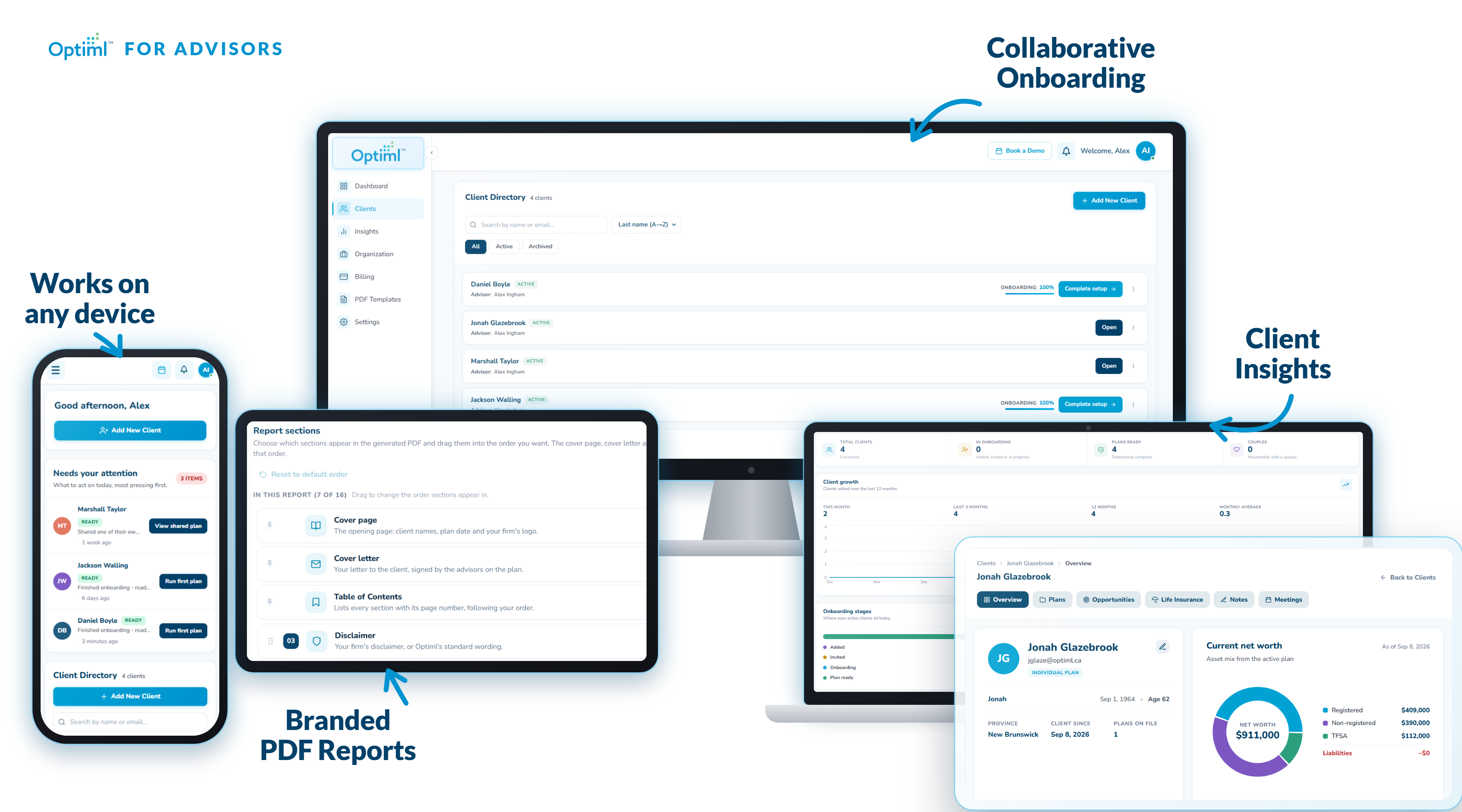
Share an interactive digital financial plan and a custom PDF report with each client, branded as your firm.
Client-controlled what-if scenarios
Instead of emailing you every time they want to test a change, clients create their own plan versions and explore scenarios themselves.
EVA, your AI planning assistant
EVA answers questions about your clients' financial plans, summarizes key details, and helps you prepare for meetings.
Overview
What is Optiml?
- One workspace for your whole book
- Optiml is Canadian retirement and financial planning software, built for advisors who want to run a bigger book in less time. Every household lives in one place: accounts, projections, strategies, and the notes from the last review. Open a client and see where their plan stands without rebuilding it first. No spreadsheet per family, no version you forgot to update.
- EVA handles the routine questions
- EVA is the AI assistant grounded in each client's own plan, not a generic chatbot. When a household asks what happens if they retire two years early, or why their RRIF minimum jumped, EVA answers from their numbers. The quick questions stop landing in your inbox, and you keep the ones that need an advisor.
- Clients test their own what-ifs
- Curious households can duplicate their plan and run scenarios themselves: retire earlier, sell the cottage, delay CPP to 70, spend more in the first ten years. They arrive at the next meeting already engaged and asking better questions. You stop rebuilding the same projection three ways before every review.
- Meetings and reports that look like your firm
- Walk a client through their drawdown live in an interface simple enough to follow on screen, or export a white-label PDF carrying your logo, colours, and firm name. Nothing gets rebuilt in PowerPoint the night before. Clients leave with something they understand, branded as yours.
- Client onboarding runs itself
- Households can complete their own intake before they sit down with you: accounts, balances, income, and the goals they care about. If a client would rather do it together, walk through it in the meeting instead. Either way the data lands ready to plan against, and chasing statements comes off your calendar.
- Built for advisors, accountants, and wealth firms
- Whether you are a solo planner or a multi-advisor firm across several offices, the workspace matches how you are structured. Advisors see their own households, leadership sees the practice. Taking on more clients stops meaning more hours, because the work that scaled with the book is the work Optiml absorbs.
Firm structure
How does Optiml map to the way my firm is structured?
It mirrors the book you already run: your brand on top, offices beneath it, advisors in each office, and every household sitting with the right person. Add as many of each as you need. You see your clients. Nobody hunts across folders to find a plan.
One workspace
Your book
Hours back
Your time
More engaged
Your clients
This year
Launch
Your firm, customized to your needs
0
offices
0
advisors
0
clients
Add Your Brand
Your Brand
Firm identity & white-label
Your Office
One location
You
9 clients
Your Colleague
7 clients
One brand, one office, you and a colleague sharing the book. The same workspace and the same depth the largest firms get, without the enterprise overhead. Add offices and advisors later if you grow.
White-label branding
Can I white-label Optiml with my own firm branding?
Yes. Upload your logo, set your colours, and shape the PDF. Every export looks like a top-tier report from your firm, not a generic planning tool.
1
Upload your logo
Drop in your firm's logo once and it appears on every client-facing report and export.
2
Set your brand colours
Charts, headers, and highlights adopt your palette automatically, with no design work required.
3
Shape the PDF template
Choose which sections appear, including plan summary, net worth, estate, and action items, and in what order.
4
Deliver a meeting-ready report
Export it and hand it over. Your disclosures are already in place, so nothing needs a second pass before it reaches the client.
Harbourview Wealth
Retirement plan · The Nguyen family
Net worth projection
Plan summary
Net worth projection
Estate & legacy
Action items
Prepared by Harbourview Wealth
Your disclosures, your compliance language.
Meeting-ready
Built to scale
Does Optiml work for solo advisors and large firms?
Both. Solo advisors get a branded workspace that saves hours on one book. Larger firms roll the same standard across offices, so every advisor can take on more households without a bigger ops team.
Solo and boutique practices
One brand, one book, full Optiml depth. Offload intake, hand routine questions to EVA, and send reports that look like you hired a design team, without enterprise overhead.
Multi-office corporations
Layer offices and advisors under one brand. Each advisor manages their own book. The firm looks consistent in every meeting and every PDF, which is how you scale advice without scaling chaos.
Get the hours back. Grow the book.
Join the waitlist for launch timing, product previews, and founding-member pricing before we open to advisors.
Client onboarding
How do clients get onboarded into Optiml?
Two ways, and you pick per client. Enter it yourself when you want control, or send a secure link so involved clients do the data entry. Either way, you spend less time on intake and more time on the plan.
Click to learn about each option
Click to learn about each option
Click to choose which style of onboarding you prefer.
Pick an option above to play its onboarding demo.
Once onboarding is done
What happens after a client household is onboarded?
You move from intake to advice. Build the strategy, let EVA surface opportunities, and walk into the meeting with a plan that is easy to present.
Step 1
Build the plan fast
Model drawdown, contribution, and tax paths for the household you just onboarded, without rebuilding anything from scratch.
Step 2
Walk in prepared
EVA and Optiml surface opportunities across accounts, timing, and tax, so you are not hunting the night before the meeting.
Step 3
Aim at what they care about
Spend more today, retire earlier, leave the largest estate, or focus on tax. Run the plan around that goal and present it cleanly.
Client goals
What does your client want to optimize for?
Once intake is complete, ask the question that shapes the whole plan, then let Optiml build strategies and AI recommendations around that answer.
Spend more
Maximize lifestyle spending
Retire earlier
Hit FI sooner
Largest estate
Leave more behind
Tax optimization
Minimize lifetime tax
AI recommendation preview
Increase TFSA contributions and delay RRSP withdrawals to fund higher spending years 1 to 8.
Plan delivery
How do clients receive the finished plan?
Three ways, chosen per relationship. Walk them through a simple, impressive interface, send a branded report that looks like your firm, or give read-only access so they can review without another hour on your calendar.
Walk them through it live
Present in a simple, impressive interface. Clients see the plan, not a spreadsheet, and you look like the advisor who has it together.
Custom branded PDFs
Export meeting-ready reports with your firm's templates, colours, and disclosures. The client sees your practice on every page.
Read-only Optiml access
Share the finished plan in-app. Clients review on their own time and come to the next meeting prepared, without another hour on your calendar.
Client engagement
Can clients run their own what-if scenarios?
Yes, and that is the point. EVA handles the quick questions. Curious clients can duplicate the plan and test ideas themselves. You get more engaged households and fewer calendar-eating what-if rebuilds.
EVA answers the quick, repetitive questions (what if I retire at 62, what if I spend $1,000 more a month) so those do not land in your inbox.
Clients who want more control can sign up, get read-only access to the plan you built, and duplicate it to test ideas themselves.
You stay the source of truth. They arrive at the next meeting engaged, with better questions, not a blank slate.
It suits the households who love to stress-test everything. They stay busy, and you stay focused on advice that actually moves the plan and the relationship.
Advisor toolkit
What features are included in Optiml?
Book management, EVA for routine questions, client self-serve scenarios, meeting walkthroughs, white-label reports, and the Optiml engine behind 200,000+ retirement plans, with more on the way.
Your whole book, one place
Every household lives in one workspace, scoped to the right advisor. Less hunting, fewer dropped balls, more room to take on the next client.
EVA takes the quick questions
Hand the mundane what-ifs to EVA, the AI assistant grounded in each plan. You stop being the after-hours helpdesk and keep your time for real advice.
Clients test ideas themselves
Curious households duplicate the plan, run scenarios, and show up prepared. You get more engaged clients without rebuilding every idea by hand.
Walkthroughs that impress
A simple interface built for the meeting, not for a spreadsheet dump. Walk clients through the plan and look like the most prepared person in the room.
Reports that look like your firm
White-label PDFs with your logo, colours, and compliance language. Top-tier reports you can send without a designer.
The engine that lets you advise more people
Goal-based optimization, Success Score, CPP and OAS tools, and the engine behind 200,000+ retirement plans, now in an advisor workflow that scales with your book.
Join the waitlist. Launch with the advisors who get their time back.
Waitlist members get early access, pricing, and launch dates before the platform opens publicly.
FAQ
Questions about Optiml for advisors
What advisors actually ask: will this save me time, can EVA take the mundane questions, will my clients stay engaged, and will the reports look like they came from my firm.
Join the Optiml waitlist for advisors
Be first to run a bigger book with less busywork. Get launch timing, product previews, and founding-member pricing. Takes under a minute, with no obligation.